How do I turn a reel into notes?
Transcribe the reel, trim what you don't need and paste the rest into your notes. The whole reel is there as text, so there's no pausing every few seconds.
- Open the reel in Chrome on your computer, click the Reelread icon and press Transcribe.
- When its words appear, edit out what you don't need.
- Copy them into Notion, Google Docs, Obsidian or wherever you keep notes, or download them as a Markdown file.
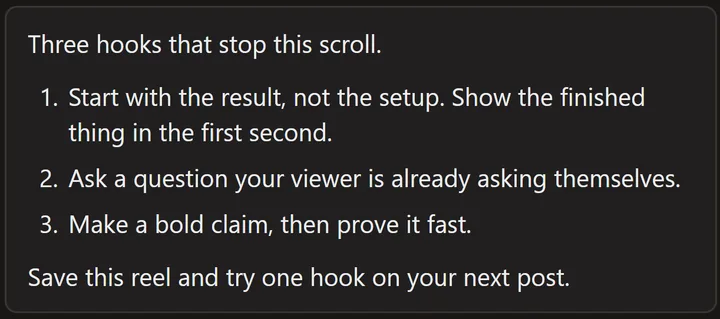 A demo reel we made ourselves: counted points come out numbered.
Want only the main points? Press Send to AI and ask your own chat for bullet points: see how to summarize a reel with ChatGPT or Claude.
What can't it do?
It writes down what's said, so diagrams and text shown on the screen stay in the reel. It works on one reel at a time, in Chrome or Microsoft Edge on a computer.
Questions
Where do my notes stay?
Your last 20 transcripts stay in Recent, each with a link to its reel. Star a reel and it stays in Saved with its words, sorted into your own nests, until you remove it.
Can I save the notes as a file?
Yes: download a transcript as a TXT or Markdown file for free. Reelread Complete adds SRT subtitles with timings.
Does it work for study reels in other languages?
Yes, in the language spoken. English, Spanish and Portuguese come out best, and Hindi and Urdu need the free Hindi pack: see how to learn a language with reels.
Does it work on YouTube Shorts and TikTok?
Yes, the same way. See YouTube Shorts, Facebook and X and TikTok transcripts.
Is it free?
Yes: unlimited transcripts for your first 5 days, then 7 a day, with Saved, translation and TXT and Markdown downloads. Reelread Complete, $11 paid once, removes the limit and adds SRT subtitles. See pricing.