How do I save a reel so I can find it later?
Transcribe it, then star it into a nest. Its words come with it, so search finds it by anything it said.
- Open the reel in Chrome, click the Reelread icon and press Transcribe.
- Press the star and pick a nest, like Recipes or Workout, or make a new one.
- Later, open Saved and type a word you remember from the reel.
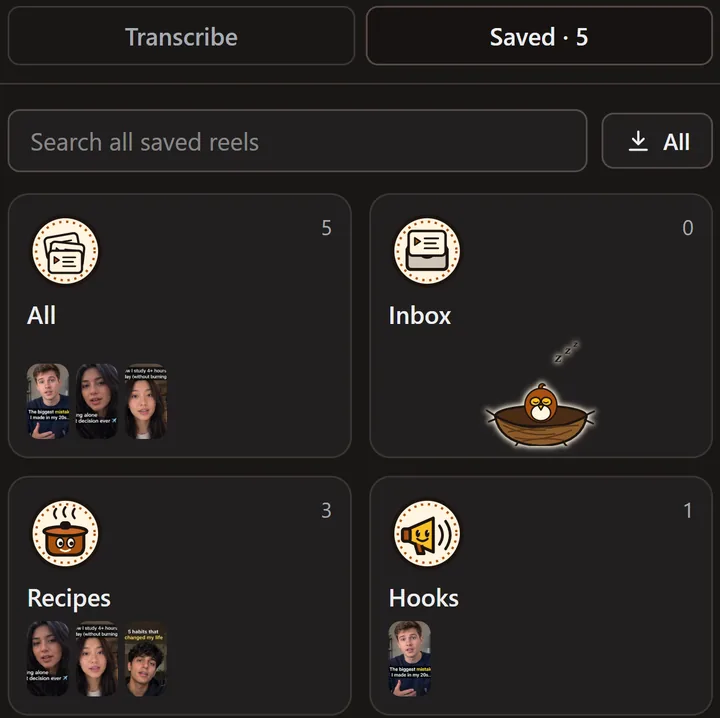 Saved, with demo reels we made ourselves.
What can't it do?
It keeps the reels you save in Reelread, up to 500 in this browser, and it doesn't bring in your Instagram Saved list. A reel saved without a transcript can be found by its site and your notes, but not by its words.
Questions
Where are my saved reels kept?
In this browser on your computer. Nothing is uploaded, and there's no account.
Can I save TikToks and Shorts too?
Yes: reels from Instagram, TikTok, YouTube Shorts, Facebook and X all go on the same shelf. See TikTok transcripts and YouTube Shorts, Facebook and X.
Can I get the words of a reel I saved?
Yes. Open it from Saved to read its transcript, copy it, or open the reel again. To start with one reel, see how to get the transcript of an Instagram reel.
Is it free?
Yes: Saved and its nests are free, with unlimited transcripts for your first 5 days, then 7 a day. Reelread Complete, $11 once, adds unlimited transcripts and SRT subtitles. See pricing.