How do I keep a reel playing while I work?
Pop it out: the reel moves into a small window that stays on top, and the side panel keeps its controls.
- Open the reel or video in Chrome, click the Reelread icon and press Pop out the reel.
- Switch to the tab you're working in. The small window stays on top of it.
- Pause, go back 5 seconds, change the speed or skip to the next reel from the side panel.
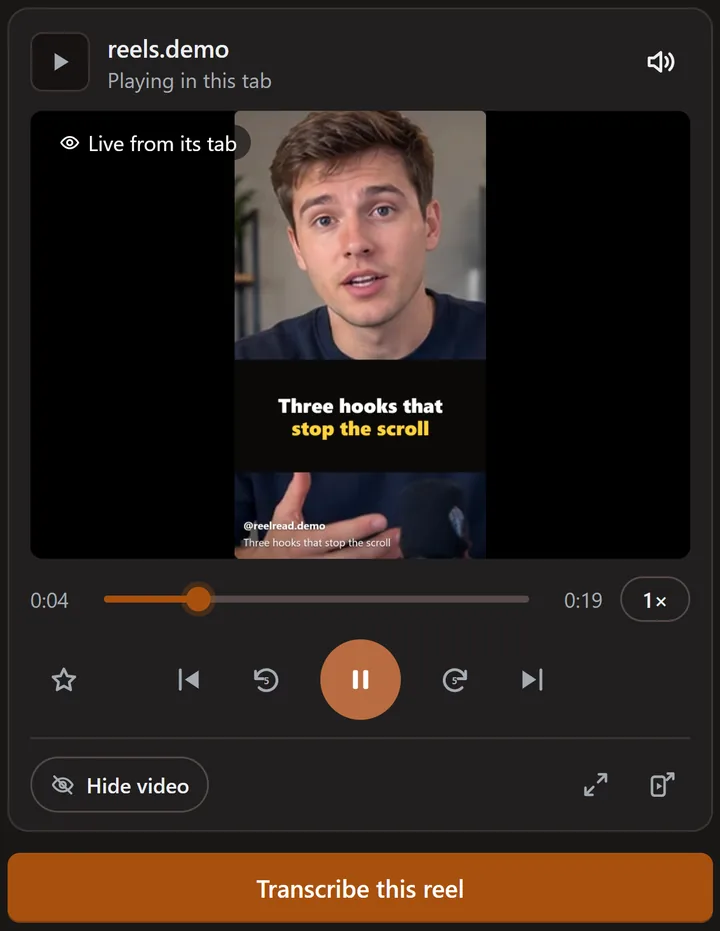 Reelread's controls on a demo reel we made ourselves.
Prefer it inside the panel? Show video puts the picture in the side panel, and the big player fills it.
What can't it do?
Streaming services that protect their videos may show a black window instead of the picture. It works in Chrome on a computer, not in phone apps.
Questions
Which sites does it work on?
Instagram, TikTok, YouTube, Facebook and X, in Chrome or Microsoft Edge on a computer.
Does Reelread record what I watch?
No. Show video and Pop out show the picture only while they're on, and it isn't recorded or kept. Reelread hears a reel only after you press Transcribe.
Can I speed it up or slow it down?
Yes, from 0.5× to 2×: see how to speed up and rewind Instagram reels.
Do the controls cost anything?
No: they're free, with no daily limit. Reelread Complete, $11 once, adds unlimited transcripts and SRT subtitles. See pricing.
Can I get the words of what I'm watching?
Yes: press Transcribe, and its words appear as text you can copy. See how to get the transcript of an Instagram reel.