How do I get a short video's transcript for free?
Open the video in Chrome on your computer, click the Reelread icon and press Transcribe. It plays once with its sound on, and its words appear in the side panel, ready to copy.
- Open a reel on instagram.com, a TikTok on tiktok.com, a Short on youtube.com, a reel on facebook.com or a video on x.com.
- Click the Reelread icon while it's on screen, then press Transcribe.
- Copy the words when it ends, edit any of them first, or download them as TXT or Markdown.
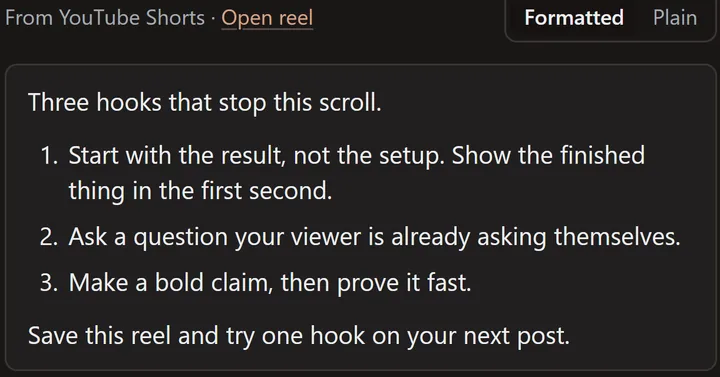 A demo Short we made ourselves, written out in Reelread.
What's free, and for how long?
The free plan doesn't end: unlimited transcripts for your first 5 days, then 7 a day, every day. Translation, TXT and Markdown downloads, Saved and Send to AI are free too.
Reelread Complete, $11 once, adds unlimited transcripts and SRT subtitles with timings.
Does it need captions?
No. Reelread listens to the video's sound, so it writes down videos that have no captions at all, in the language they're spoken in.
What can't it do?
It writes speech, up to 10 minutes per recording, so it's made for short videos. It can mishear names, slang and mixed languages, and a reel with only music has nothing to write. It runs in Chrome on a computer, not in phone apps.
Questions
Is Reelread really free?
Yes. Every day you get 7 transcripts free, with no end date, after unlimited transcripts in your first 5 days. You only pay if you want unlimited transcripts and SRT subtitles: Reelread Complete, $11 once.
Which short videos does it work on?
Instagram reels, TikToks, YouTube Shorts, Facebook reels and videos on X, in Chrome on a computer. See the guides for Instagram reels, TikToks and Shorts, Facebook and X.
Do I need an account or an API key?
No. Add Reelread to Chrome, open a short video and press Transcribe.
How is it different from a YouTube transcript tool?
A YouTube transcript tool copies the captions a video already has. Reelread writes down what it hears, so it also works on reels and TikToks, and on Shorts with no captions.
Can I translate the transcript or send it to ChatGPT?
Yes, both are free. Translate turns the words into your language, and Send to AI opens ChatGPT or Claude with the words and your ask, to summarize it or pull out the steps.